








Wonaco Casino App
The Wonaco Casino app is our full mobile site, opened in the browser you already use. You do not need to download anything from a store: on Android or iOS devices, an icon on your main screen gives one-tap access to the same lobby, cashier and promotions as on a computer.
Below you will find how to set it up on each phone, what you can do inside, what your device needs and how to fix the rare loading problem.
Open Wonaco on Your PhoneWonaco Casino App on Android and iPhone
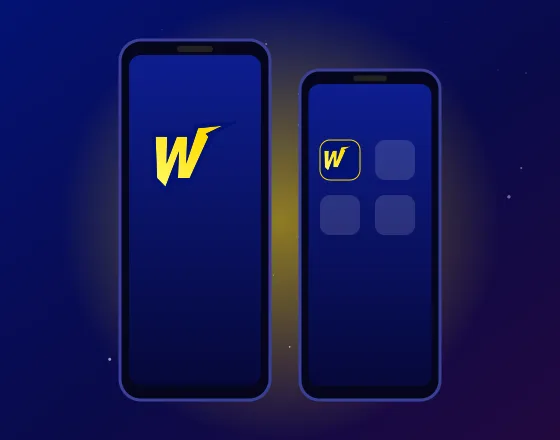
Setting things up takes less than a minute. Your mobile browser creates an icon that opens the casino directly, so it behaves like a regular program without a separate install. Steps differ slightly between Android and iOS.
On Android
- 1Open Chrome and go to our website.
- 2Tap the three-dot menu in the top corner.
- 3Choose Add to Home screen or Install app, depending on your Chrome version.
- 4Confirm the name and tap Add.
- 5Find the new Wonaco icon among your apps and tap it to start.
On iPhone and iPad
- 1Open Safari and load our website.
- 2Tap the Share button, at the bottom on most phones and at the top on a tablet.
- 3Scroll down and pick Add to Home Screen.
- 4Keep the suggested name or edit it, then tap Add.
- 5Launch the casino from the new icon whenever you like.
The shortcut always loads the current version of our site. There is nothing to update by hand: when we release changes, you see them the next time you open it. Sign in once, and your browser can remember the session on that device.
On a phone shared with family, sign out after each visit so your account stays private.
Inside the App: Games, Bonuses and Your Account
Everything from our desktop site is available on mobile. The lobby keeps its tabs for Slots, Live Casino, Roulette, Blackjack, Game Shows and Jackpots, and the Demo button works on a small screen too. The welcome package, cashback offers and VIP Club perks are the same whichever device you play on.
Money matters run through the mobile cashier, opened from the main menu. To make a deposit, pick one of the payment methods shown for your country, enter the amount and confirm. The cashier on the Wonaco Casino app lists the same payment methods as the desktop version, and each deposit lands in your balance on both.
Withdrawals start from that same cashier. Choose the payment option, type the sum and send the request. Before the first payout we may ask for identity verification, and our team will explain what to send. Using the same payment method for deposit and withdrawal where possible keeps the process simple.
Before you deposit on mobile, check that the payment methods you plan to use for a withdrawal later are listed too, so money can come back the same way. Some payment confirmations open in a banking app or a new browser tab; finish them, return to the casino screen, and the balance updates once the payment clears. If a deposit does not appear, our support team can trace it.
Your account is shared across devices. Begin a session on a desktop, carry on with the phone, and your balance, active bonus and history follow you.
Need help mid-game? Live chat support is open 24/7 from the mobile menu, so you can ask about a deposit, a pending withdrawal or your verification without moving to a computer.
What Your Phone Needs
Because the Wonaco Casino app runs in the browser, the requirements are simple. Any recent Android or iOS device with an up-to-date version of Chrome or Safari will handle it, and other modern mobile browsers should cope just as well.
A stable internet connection matters more than processing power. Live dealer tables stream video, so Wi-Fi or strong mobile data gives the smoothest picture. Install system updates when your phone offers them, as they also patch browser security gaps. Leave a little free space for the browser cache, which helps pages open faster on older devices.
Rotate the screen to landscape if you prefer a wider view of live tables.
For extra security, lock the device with a PIN, fingerprint or face unlock. That protects your casino account if the phone is ever lost.
If the App Won't Load
Most loading problems on mobile come from an old cache or a weak connection. Try these fixes in order:
- 1Close the browser window or shortcut fully and open it again.
- 2Clear the browser cache and site data, then reload the page.
- 3Switch between Wi-Fi and mobile data to test your internet connection.
- 4Check that your browser and operating system have the latest updates.
- 5Remove the icon and add it once more.
If only one of your devices has trouble, compare it with another phone or tablet: when the site works there, the cache on the first device is the likely cause. Always open the shortcut you created rather than links from messages, which keeps your sign-in secure.
Clearing site data signs you out, so keep your sign-in details at hand. If the Wonaco Casino app still freezes on one view, note what you were doing and contact our support team on live chat. They can check your account and the security status of the session, and a computer is always there as a backup while the issue is sorted.
App Questions
Do I need to download anything from the App Store or Google Play?
No. There is no store download: the Wonaco Casino app is a home screen shortcut to our mobile site, created by your browser in a few taps.
Is the app free to use?
Yes. Adding it costs nothing and uses almost no storage, because it opens our website rather than a separate program. Only your mobile data is used while you play.
Can I claim bonuses on mobile?
Yes. Every promotion on our desktop site is available on mobile, and you can activate offers and make a qualifying deposit straight from the cashier. Our support agents can confirm the terms of any offer before you opt in.
Will my account work on both my phone and computer?
One account covers mobile and desktop. A deposit or withdrawal made on one device shows on the other, and your verification status is the same on both.
Which browsers work best?
Current versions of Chrome on Android and Safari on iOS give the best results. Keep them updated for speed and security, and clear the cache if pages ever look outdated. Our support team can help if a particular browser gives you trouble.